





Catch Defects Early. Release With Confidence.
Know what works, what fails, and what needs attention before launch. Define release thresholds early. Track critical journey pass rates, unresolved defects by severity, startup time, response time under load, and coverage across agreed devices and operating systems.

Validate Core App Functions

Improve Ease of Use

Assess Performance Under Load

Check Device Compatibility

Identify Security Weaknesses

Prioritize Release Blockers
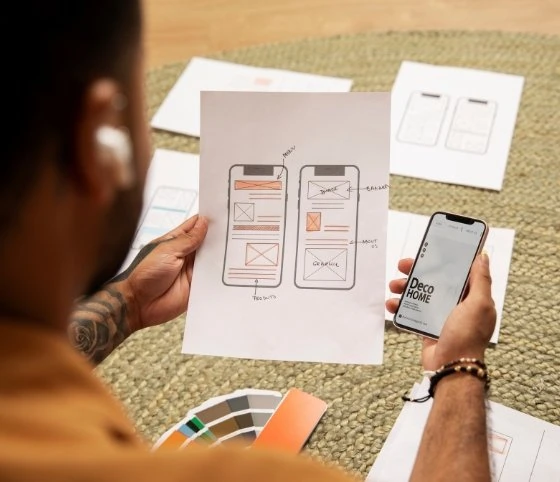
What Are Mobile App Testing Services?
Mobile app testing evaluates how an application behaves across defined devices, operating systems, networks, and user journeys. It combines manual checks and appropriate automation to identify defects, assess risks, and verify fixes before release.
Set acceptance criteria around your application’s requirements. OWASP MASVS provides a reference for mobile security controls, while W3C’s WCAG2ICT explains how accessibility criteria apply to non-web software, including mobile apps.
Why Do Companies Need Mobile App Testing?
- Validate essential journeys, from sign-in and onboarding to transactions.
- Identify device, performance, and security issues that could affect users.
- Give development teams reproducible findings and clear remediation priorities.
Trusted by Businesses Worldwide
Saffron Tech helps businesses assess mobile app quality through structured testing, clear defect reporting, and release validation. Your team gets practical findings to improve app behavior and address risks before launch.
2.5K +
Success stories
150+
IT Professionals
30+
Industries Served
18+
Years of Experience
Our Mobile App Testing Services
Focus testing on the functions, interactions, and risks that matter most to your users and business.
Functional Testing
Confirm that essential features behave as specified. Test successful journeys, invalid inputs, and failure conditions to find issues that could prevent users from completing tasks.
- Sign-in, onboarding, and account workflows
- Transactions and business rule validation
- Input validation and error handling
- Notifications, deep links, and integration behavior
Usability Testing
Identify where users struggle to understand or complete a task. Evaluate navigation, instructions, and feedback to make important journeys easier to follow.
- Task completion and navigation clarity
- Onboarding and feature discoverability
- Form instructions and error recovery
- Observed friction and improvement recommendations
Performance & Load Testing
Assess app responsiveness and supporting service behavior under defined conditions. Separate device resource constraints from backend bottlenecks so fixes target the right problem.
- Startup and screen response times
- Memory, CPU, and battery behavior
- API latency, throughput, and error rates
- Backend load scenarios based on expected usage
Compatibility Testing
Check whether your app works across the devices and software versions your audience uses. Build a coverage matrix around user data, supported platforms, and known risks.
- Device models and operating system versions
- Screen sizes, resolutions, and orientations
- Hardware-dependent features and permissions
- Installation, updates, and platform behavior
Compliance Testing
Assess app behavior against the requirements defined for your product. Document gaps and supporting evidence for your team’s review.
- Requirements mapped to test cases
- Accessibility checks against agreed criteria
- Consent, permissions, and privacy-related behavior
- Evidence and exceptions for compliance review
Penetration Testing
Evaluate whether weaknesses could expose app data or enable unauthorized actions. Keep testing within approved application, API, account, and environment boundaries.
- Authentication and session controls
- Sensitive data storage and transmission
- Authorization checks on agreed APIs
- Validated findings and remediation guidance
UI/UX Testing
Check whether screens and interactions match the approved design and behave consistently. Identify layout and interaction defects that make the app difficult to use.
- Layout, typography, and visual consistency
- Touch targets, gestures, and navigation
- Loading, empty, success, and error states
- Screen adaptation and accessibility behavior
Test the Conditions Your Users Actually Face
A successful test on one device cannot represent every user experience. Include the conditions most likely to affect your app’s critical journeys.
Device and Operating System Coverage
Prioritize representative devices using audience data and platform support requirements. Check app behavior across agreed screen sizes, hardware capabilities, and operating system versions.
Network Changes and Offline Behavior
Test slow connections, interruptions, and transitions between Wi-Fi and cellular networks. Verify retries, user feedback, and data synchronization where offline functionality is supported.
Permissions and App Lifecycle Events
Check what happens when users deny permissions, interrupt tasks, or move the app into the background. Verify recovery behavior so users can resume work without unexpected data loss.
APIs and Third-Party Integrations
Assess how the app handles timeouts, unavailable services, and unexpected responses. Test relevant payment, identity, messaging, and analytics integrations within the agreed scope.
Why Partner With Saffron Tech for Mobile App Testing?
Build testing around your release priorities and the evidence your team needs to act.
Testing Aligned With Business Priorities
Focus on failures that could block transactions, expose sensitive information, or interrupt essential workflows. Connect test priorities to the impact on your users and operations.
Coverage Based on Your User Base
Define device and platform coverage around your audience. Make coverage decisions explicit so your team understands what was tested and where gaps remain.
Clear Defect Evidence and Priorities
Give developers the conditions, steps, and evidence needed to reproduce issues. Separate technical severity from release priority to support practical triage.
Collaboration With Your Development Team
Connect findings with fix ownership and validation. Keep developers and release owners informed about blockers, corrections, and outstanding risks.
Benefits of Mobile App Testing
Give your team earlier visibility into defects and stronger evidence for release decisions.
Fewer Defects Reaching Users
Identify failures before launch and verify corrections. Use regression testing to check whether changes affect previously working functions.
Smoother User Journeys
Find confusing navigation, unclear feedback, and broken interactions. Help users complete essential tasks with less friction.
Earlier Visibility Into Performance and Security Risks
Assess slow responses, resource issues, and exploitable weaknesses before release. Prioritize fixes according to evidence and potential impact.
Better-Informed Release Decisions
Review test coverage, unresolved defects, and acceptance criteria together. Give release owners a clear view of readiness and remaining risk.
Technologies Driving Mobile App Testing
Mobile testing combines device environments, automation frameworks, performance diagnostics, and security assessment tools. The right mix helps reproduce failures, assess app behavior, and validate fixes across your agreed coverage.




























AI & Data

Cloud & Platform Engineering
Engineering & Development
DevOps & Delivery
Digital Experience
Technology Consulting
Global Expertise Across Every Industry
Saffron Tech tailors mobile app testing to your industry’s user journeys, sensitive data, and operating requirements. Testing priorities reflect the impact of failed transactions, interrupted workflows, and inconsistent app behavior.








Enterprise-Grade Security & Compliance

ISO 27001

HIPAA Compliant

GDPR Complian

SOC 2 Type II
Case Studies
Before this, managing our ML workflows took a lot of manual effort. The automation has made things much easier for our engineering teams.

Rohan Mehta
Head of AI EngineeringWe had data across too many systems and it was slowing down decisions. The AI platform helped us bring everything together and made day-to-day operations much smoother.”

Dr. Michael Carter
Chief Technology OfficerForecasting used to take a lot of manual work. With AI handling the analysis now, our team can focus more on strategy and customer experience.

Alex Romero
VP Engineering“The biggest difference for us is visibility. We can now see potential issues before they affect production.”

Daniel Hughes
Chief Information Officer“Routing decisions used to take hours of planning. Now the system helps us make those decisions much faster.”

Sophia Lang
Head of Data & Technology“The AI monitoring tools help us spot problems early. It’s made managing the network much easier for our team.”

Kevin Patel
Chief Technology OfficerWhat Our Clients Say
Saffron Edge is an amazing and highly recommended SEO company. They are always responsive, professional, and best of all they show RESULTS! HIGHLY RECOMMENDED!

Salvabor Ordorica
Operations Manager, Translation CompanyThe quality is exceptional. I love their work, and I appreciate our back-and-forth.

Xanare
President, Flexyn GlobalI felt that they really understood my vision and were really excited about it.

Caitlin Thorpe
Founder, Seamless TherapyFAQs
What Do Mobile App Testing Services Include?


Can You Test Both iOS and Android Apps?
What Is the Difference Between Usability and UI/UX Testing?
How Do You Select Devices and Operating Systems for Testing?
What Determines Testing Time and Cost?
What Happens After Bugs Are Identified?

Ready to Put Your App to the Test?
Know which issues could block your next release. Discuss your app, target devices, and critical user journeys with Saffron Tech to define testing priorities.
Talk to Our Testing ExpertsFind out what Saffron Tech can do for you
- Free assessment and roadmap
- Custom solution recommendations
- ROI projections for your use case
Reach out to us
Reach out to us